For credit unions, banks and fintechs
A modern digital bank, launched under your own name.
Coreledgerpay is licensed banking software: a complete member app, a staff console with the controls your risk team expects, and a dedicated deployment for every client.
The demo is a live environment. Money in it is simulated.
Your own deployment
Each client runs on its own database and cluster resources. No client's data shares infrastructure with another's.
Two-person approval
Manual money movement needs a second staff member to approve it, and every staff action is logged.
Internal review, fixed
Findings from our internal security review are fixed and covered by tests. An independent test is planned.
Bring members over
Bulk import, a claim-your-account flow and a reconciliation queue for converting existing members.
What your members get
The experience people expect from the best digital banks, under your name and colors.
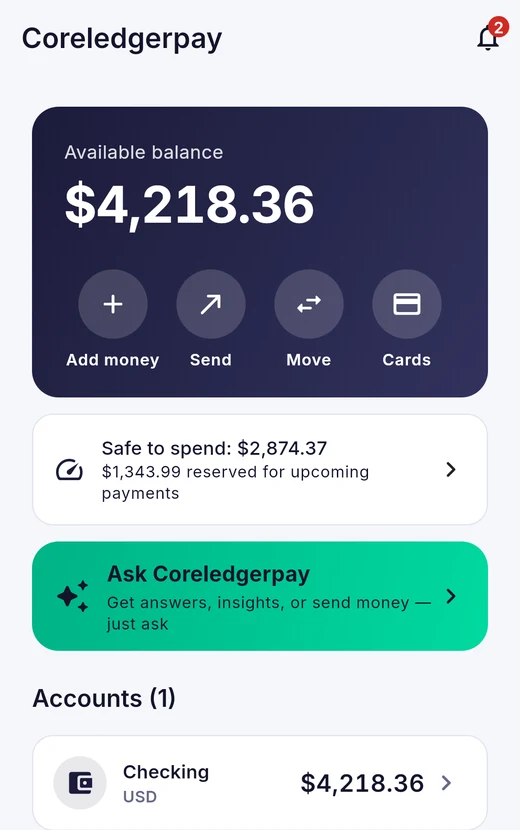
One clear balance
Add money, send, move and cards are one tap away, with recent activity underneath.
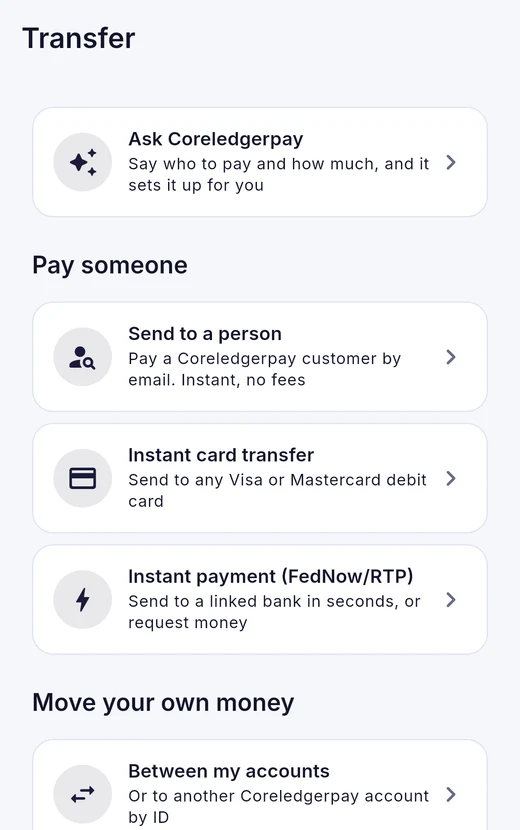
Every way to pay
Pay people by email, send to a card or bank, move money between accounts, or send a wire.
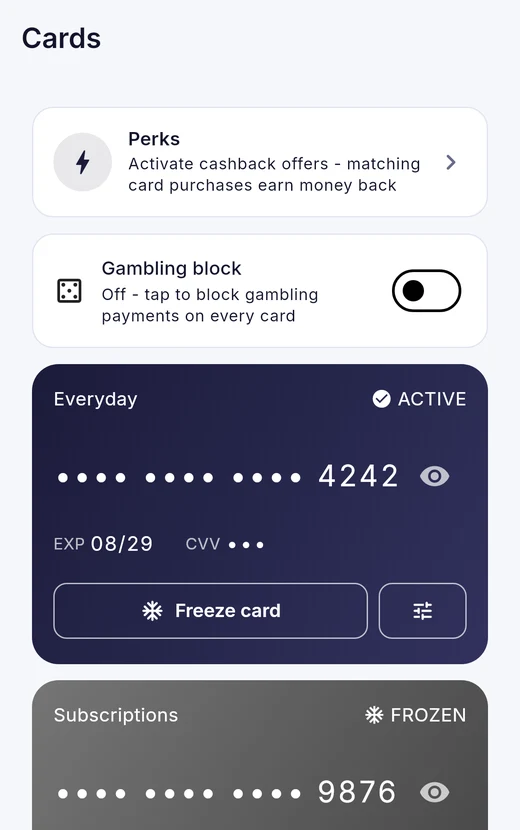
Cards members control
Freeze a card in one tap, set spending limits and block categories.
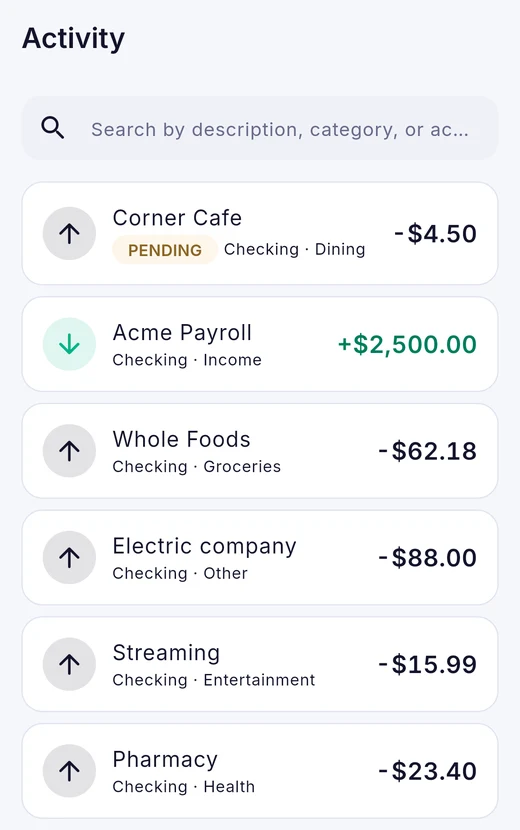
History that makes sense
Clear statuses, searchable activity and monthly statements.
Also built in: savings pots, budgets, spending insights, personal loans with instant decisions and e-signing, family accounts, and an assistant that proposes actions a member confirms before anything moves. Screens above show sample data.
Controls your risk team will ask about
The staff console is where a credit union runs the product day to day, and where most of the due-diligence questions land.
Read the vendor overview Security and trust- Role-based accessSupport, compliance, finance and admin staff each see only what their role needs.
- Two-person approvalThe person who requests a manual balance change cannot approve it. The system refuses.
- A record of every actionWho did what, to whom and when. If the record cannot be written, the console reports an error instead of success.
- Work queuesIdentity checks, disputes, fraud alerts, check deposits, loans and wires.
- Staff sign-in protectionTwo-factor sign-in is available, with lockouts after repeated failures and automatic sign-out when idle.
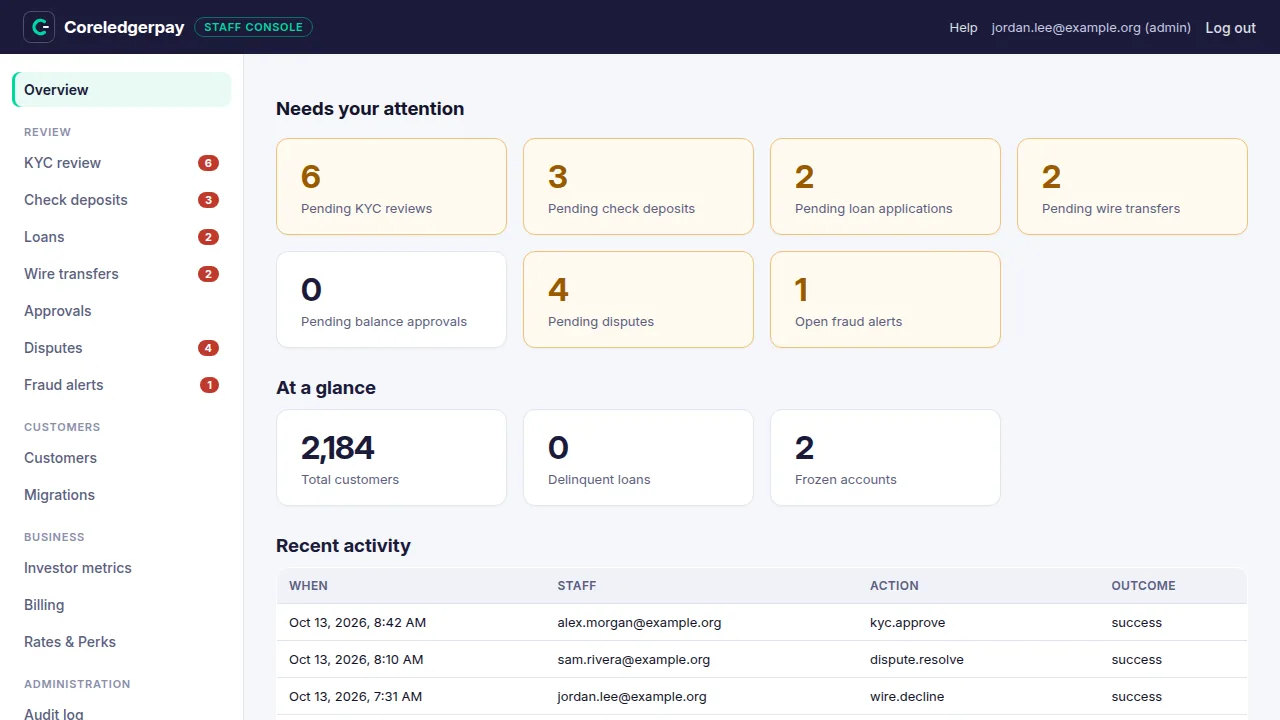
Start the day with what is waiting
Every review queue with a count, and a record of recent staff activity.
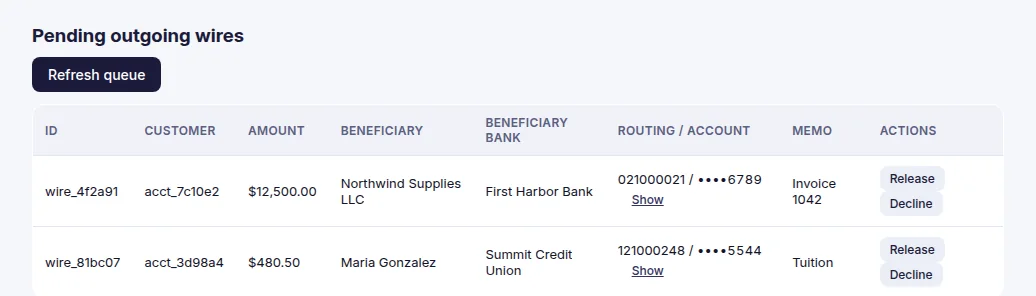
Review before money leaves
Outgoing wires are held for a person to release or decline. Account numbers are masked until a reviewer asks to see them.
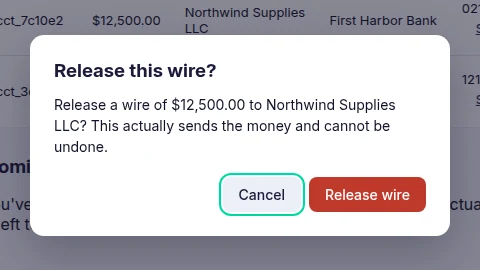
Confirm what you are about to do
Irreversible actions name themselves and default to Cancel, so a stray keypress cannot send money.
Screens show sample data, not real customers. Click a screen to see it full size.
Where to start
Pick the path closest to your question. Everything is written to be read, not to sell.
Credit unions and banks
How it fits your members, your core and your risk team.
Fintechs
Launch a consumer app on your sponsor bank.
Investors
What is built, what has been reviewed, and what is still open. Round size and terms are shared directly: email us.
How a launch works
Five steps from a first conversation to live members. Our plan for a first pilot is three to six months from a signed agreement. No client has done this yet, and we will say so if you ask.
- Walkthrough. A 30-minute video call. Bring your own questions and your risk team.
- Scope and security review. We agree the pilot, which sponsor bank, card, identity and core providers you will use, and we complete your security questionnaire.
- Your own deployment. We stand up an isolated environment under your name and colors, connected to your providers in test mode first.
- Move members in cohorts. Import in batches, let members claim their accounts and re-verify, and run alongside your current system until you are confident.
- Go live and stay close. Hands-on support during the pilot from the team that built the platform.
Where we are, plainly
We would rather you hear it from us than find it in diligence. Updated November 2026.
- Member app on iOS, Android and the web
- Staff console with approvals and audit log
- Dedicated deployment and member-migration tools
- Internal security reviews and AI-assisted testing, with findings fixed
- A first design-partner client
- Independent penetration test and SOC 2
- A real sponsor-bank or core connection
- No client is live on it today
- No real money has moved. Payment rails in the demo are simulated
- Coreledgerpay is software, not a bank
See it with your own questions
A 30-minute live walkthrough for your team. Bring your member experience, your controls and your core.
Book a walkthroughPrefer email? dev@coreledgerpay.com